
Using LitBuy, from a pasted link to a chosen route
The full path of a first order, written so that the route choice, the part this map is about, arrives at the right moment.
A first order, step by step
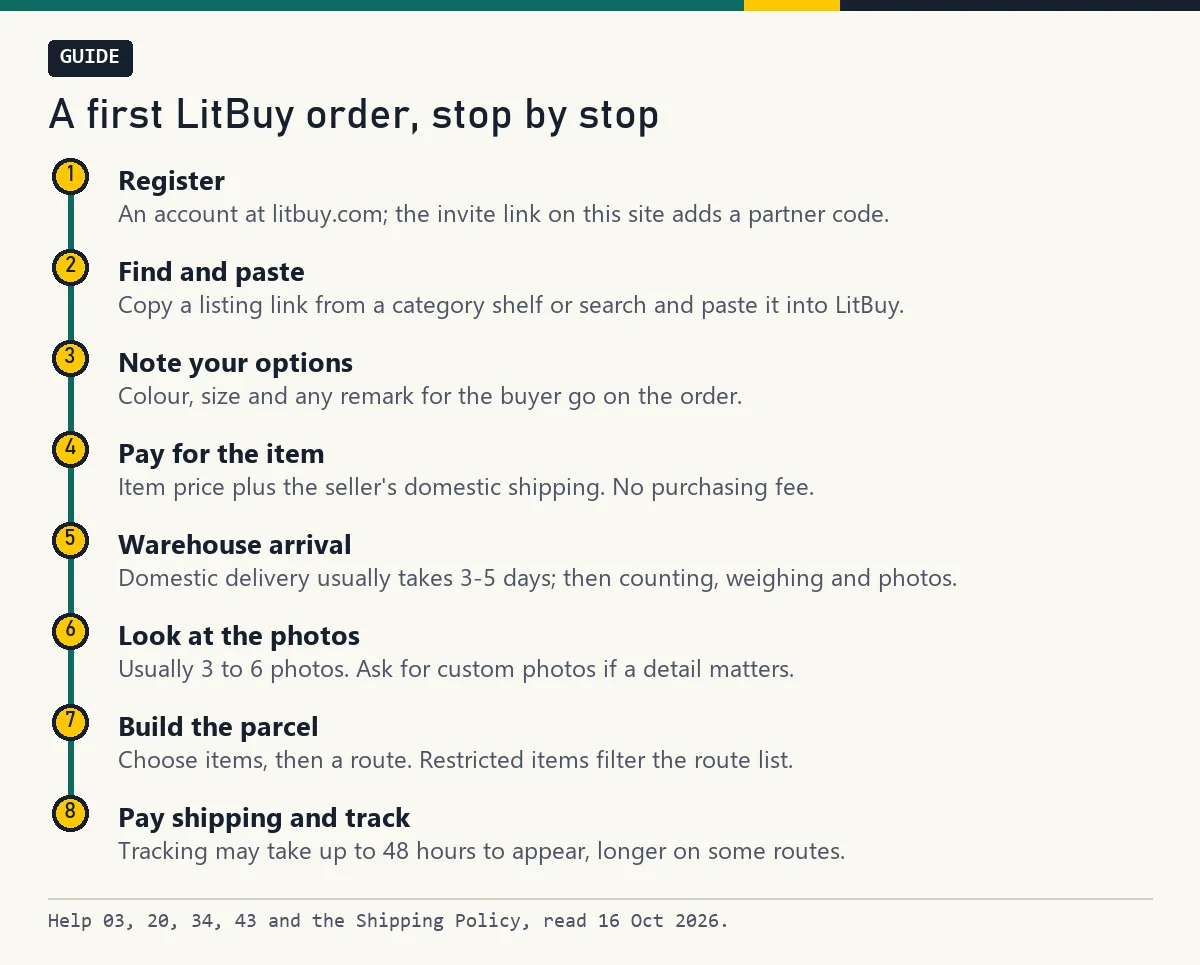
Register at litbuy.com. Find an item on a category shelf or by search, copy the seller's link and paste it into LitBuy. Choose colour and size, add a remark if a detail matters, and pay two amounts: the item, and the seller's delivery to the warehouse. There is no purchasing fee.
The seller ships to the Xiamen warehouse, usually within 3 to 5 days domestically. There the goods are opened, counted, weighed and photographed, and they wait in your account, free for 90 days. When everything has arrived you build a parcel, choose a route, pay shipping and track it.
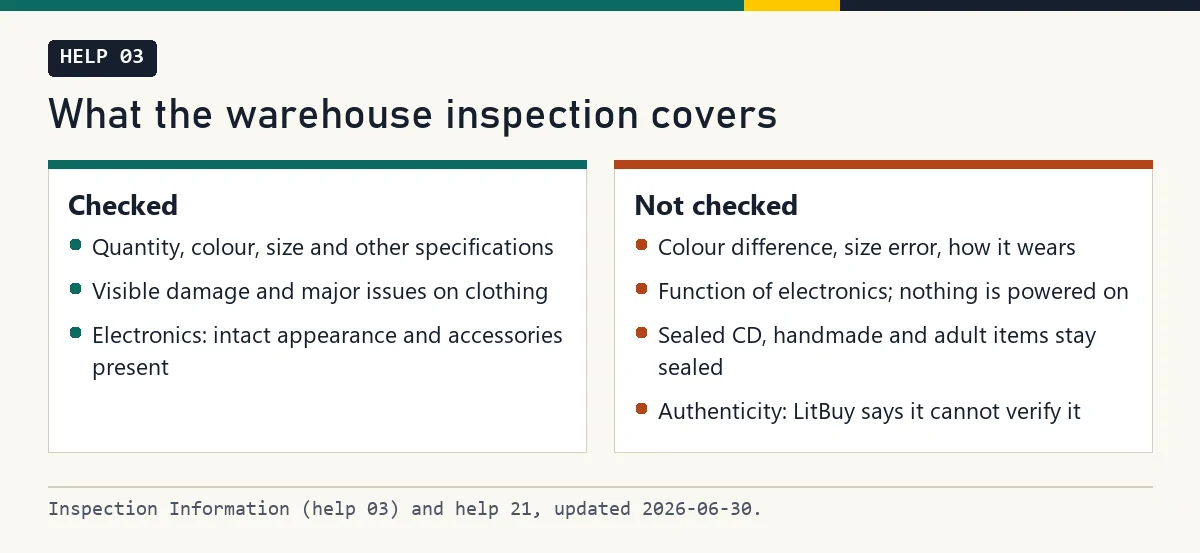
What the warehouse inspection covers
Help 03 says the warehouse opens every package to check for prohibited items, then weighs and stores the goods. It checks quantity, colour, size and other specifications, and repacks items in LitBuy self-sealing bags. Help 21 adds that clothing is looked at for colour, size, visible damage and other major issues.
Several things are outside the check: colour difference, size error, how an item wears, the function and model of electronics, which are not powered on, and sealed CDs, handmade and adult items, which stay sealed. LitBuy also states that it cannot verify whether a product is authentic.
Warehouse photos, read in a fixed order
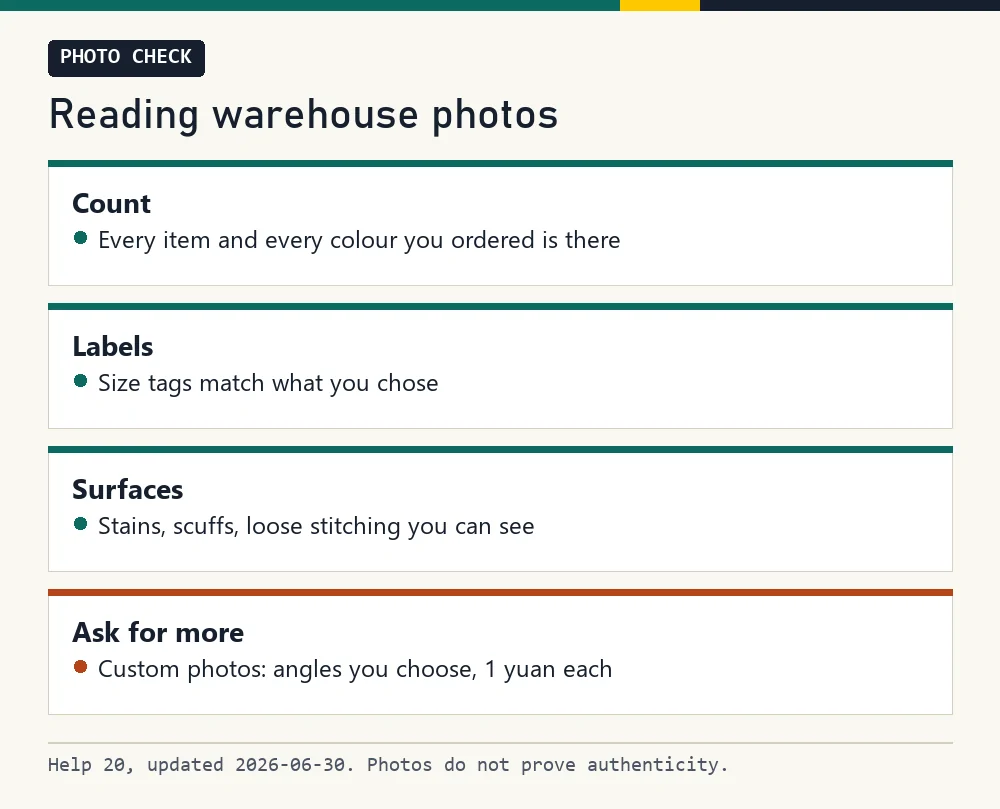
Routine inspection photos are generally 3 to 6 per item, at ordinary resolution, showing the front, the back and a side or the logo (help 20). If you need a particular angle, a seam, a label or a measurement, custom photos cost 1 yuan each, per LitBuy's help page, and are taken to your instructions.
This is how to check QC photos on the day they land, always in the same order: count the items and colours, read the size tags, then look over surfaces for stains, scuffs and loose stitching. Compare with the listing photos. If something is wrong, you are still inside the window for a seller return, which is five days (120 hours) from the next full hour after Warehoused status, subject to seller agreement and return eligibility. Keep the item unused and retain tags and packaging.
Use QC before the packing choices become final
For each arrival, compare the label, quantity and visible details with the saved order. A pair of shoes may need both size labels checked; a garment may need a specific measurement; a set needs all pieces accounted for. Request the missing view clearly. Ordinary pictures are not proof of authenticity or a complete function test.
Deal with any eligible return or exchange while the goods remain at the warehouse. Then decide whether to retain retail boxes, add protection or combine purchases. Those choices can change dimensions and route availability. Do not wait for every other item before inspecting the first arrival: storage and return deadlines serve different purposes. Keep the relevant item photos with the eventual parcel record.
Building a parcel and choosing a route
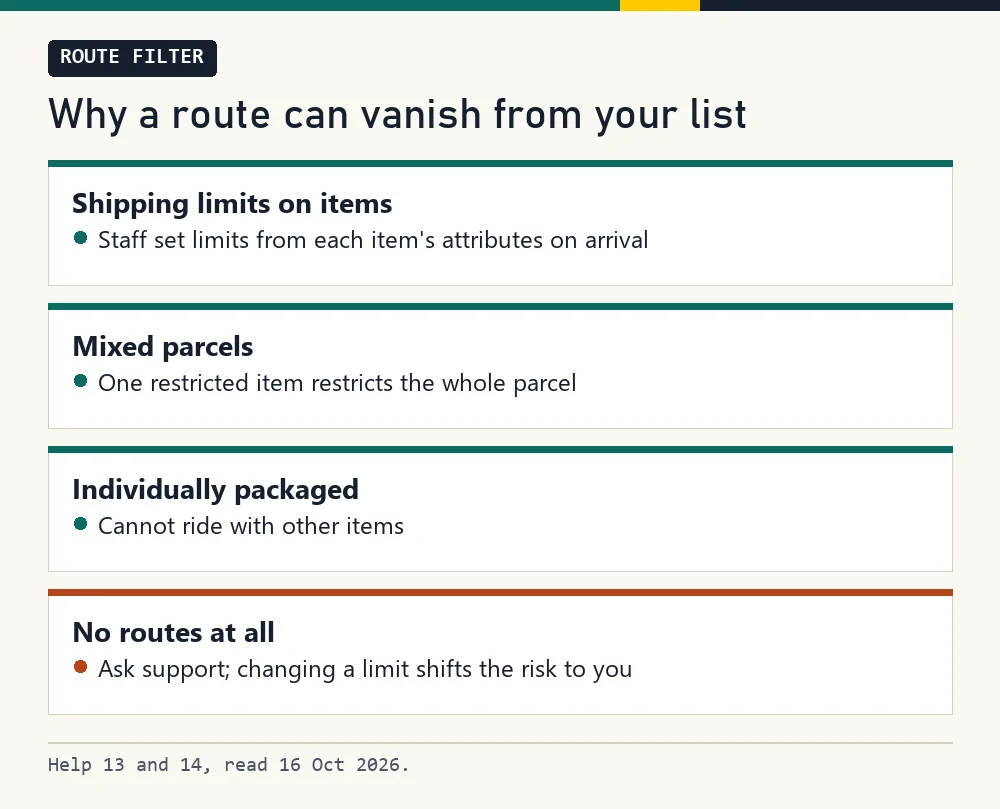
When you submit a parcel, LitBuy shows only the routes that accept every item in it. Staff set a shipping limit on each item when it arrives (help 14), and items marked individually packaged cannot ship with anything else (help 13). A power bank can exclude routes that do not accept its battery type; the number depends on the parcel and destination.
If no route is offered, the parcel page shows the reason, and support can review a limit; help 14 notes that if a limit is changed at your request, the risk is yours. This is also the moment to use the country board and to ask support whether your chosen route is self-operated.
Storage while you wait for the rest
Each item gets 90 days of free storage from the day it is stocked, which leaves room to wait for slower sellers and ship everything in one parcel. LitBuy sends reminders 7 days and 3 days before the free period ends and on the day itself; from day 91 a daily fee applies under its Storage Period policy, and an item whose fees stay unpaid for more than 30 days can be disposed of. The policy also gives a 120-day maximum and separate cap-plus-unpaid wording; do not treat paying storage fees as permission to keep goods indefinitely. Unmatched incoming goods have a separate 30-day clock.
For route choice the point is simple: a parcel built from many small items can use a different route than three separate parcels would, because the weight, the size and the shipping limits all change. Build the parcel first, then read the routes.
Customs inspection on arrival
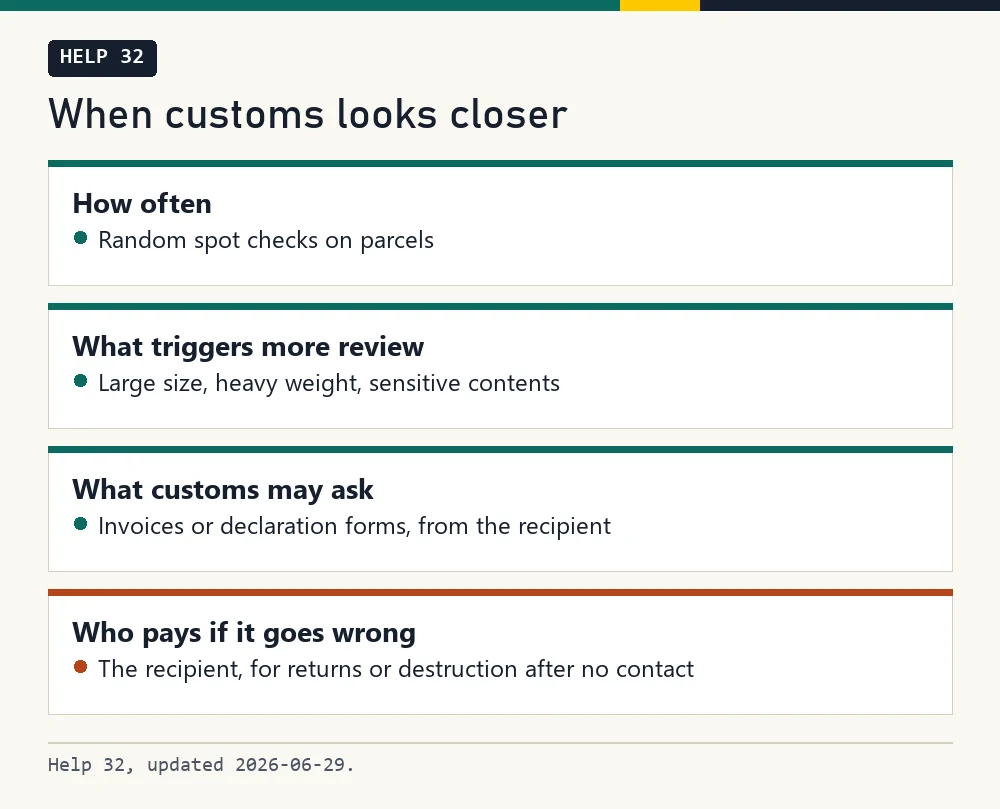
Every parcel passes customs in the destination country, and inspections are random spot checks, says help 32. If customs wants more information, for example because a parcel is large, heavy or has sensitive contents, it may contact the recipient directly for an invoice or declaration.
Costs from a parcel being returned or destroyed because the recipient could not be reached or did not cooperate fall on the recipient. Keep your order records until the parcel is in your hands, and answer customs messages quickly.
Shipping and tracking
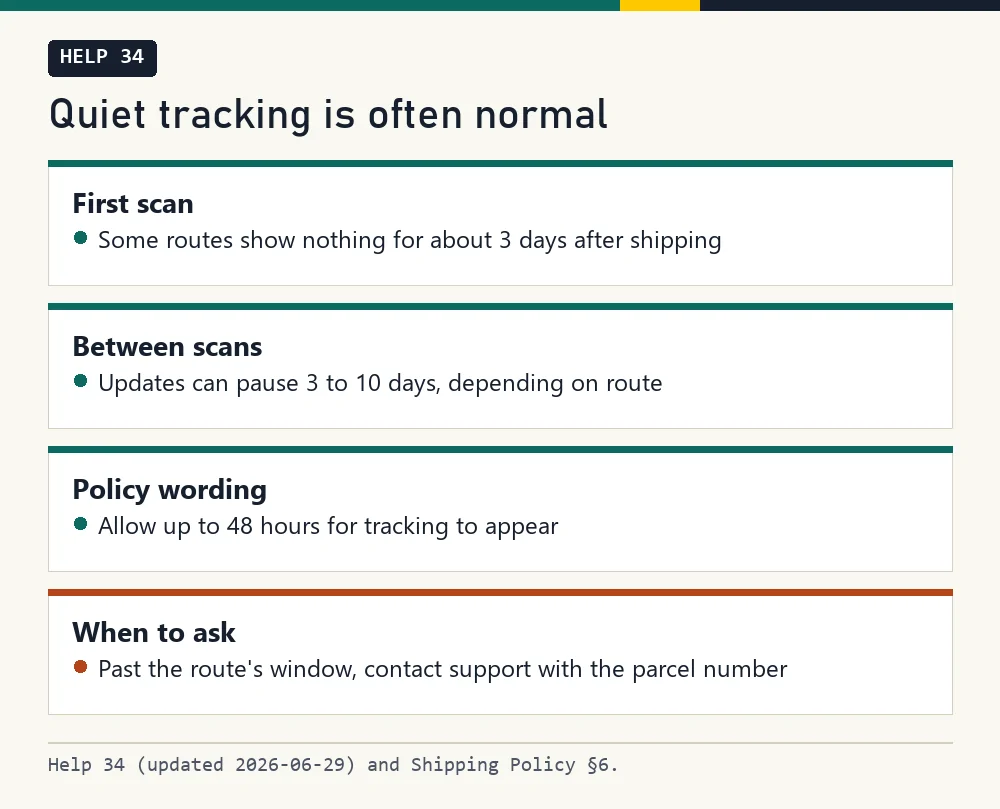
Delivery time counts from the shipped status. The Shipping Policy asks you to allow up to 48 hours for tracking to appear; help 34 says some routes show no first scan for about 3 days, and that gaps of 3 to 10 days between scans are normal on some routes.
If a parcel goes quiet past its window, contact support with the parcel number. If it arrives damaged, report to the local carrier within 48 hours and submit the LitBuy request within seven days starting the day after Delivered status, as help 01 sets out. Do not wait for the carrier’s final decision before contacting LitBuy.
Register with LitBuy (partner link) · Browse the category shelves · Check your country on the board
Next stop on this map: Judging sites, sellers and agents
The official buying screens, in order
LitBuy’s tutorial retained on 16 October 2026. These are older interface examples, not current price or availability quotes. Expand the stage you need; every image links to its original size.
1. Find an item
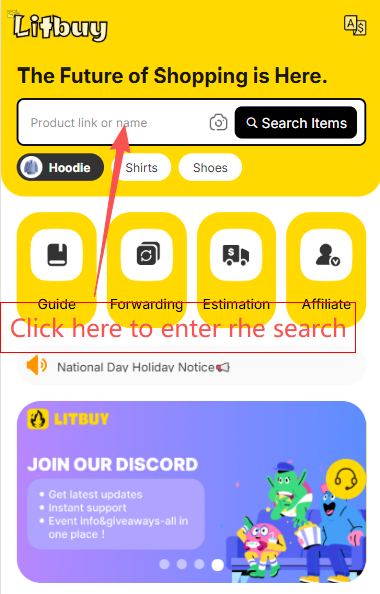
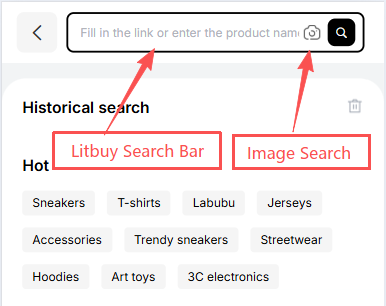
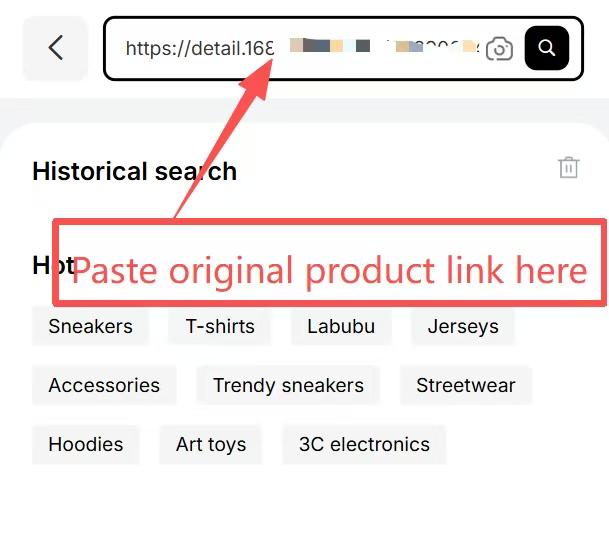
Search by product name, seller link or image. The catalogue helps you discover a listing; check the original seller page before ordering.
2. Create the order
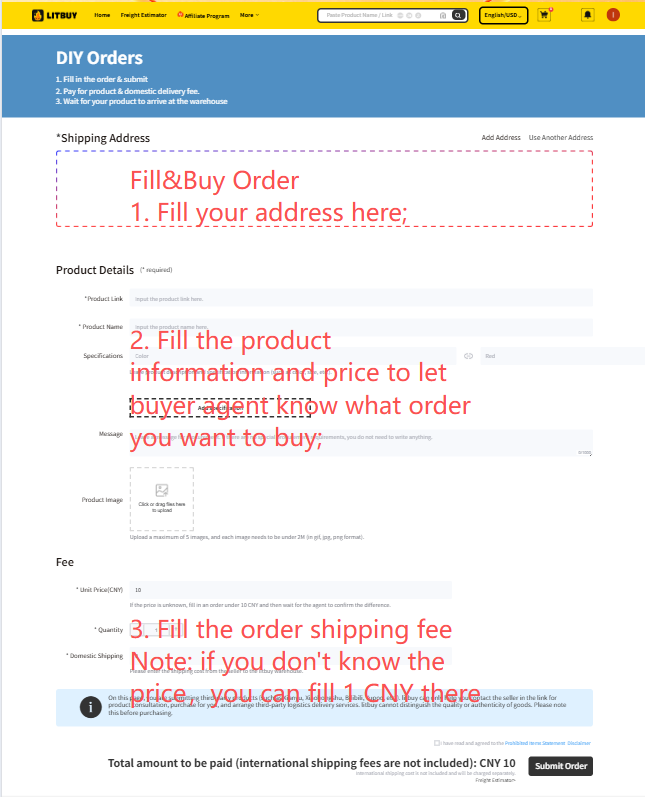
Paste a supported seller link. Use Fill&Buy for a supported listing that cannot be read directly, and confirm the final price. The official article repeats the Fill&Buy screen in images 4 and 5; it is not an extra order step.
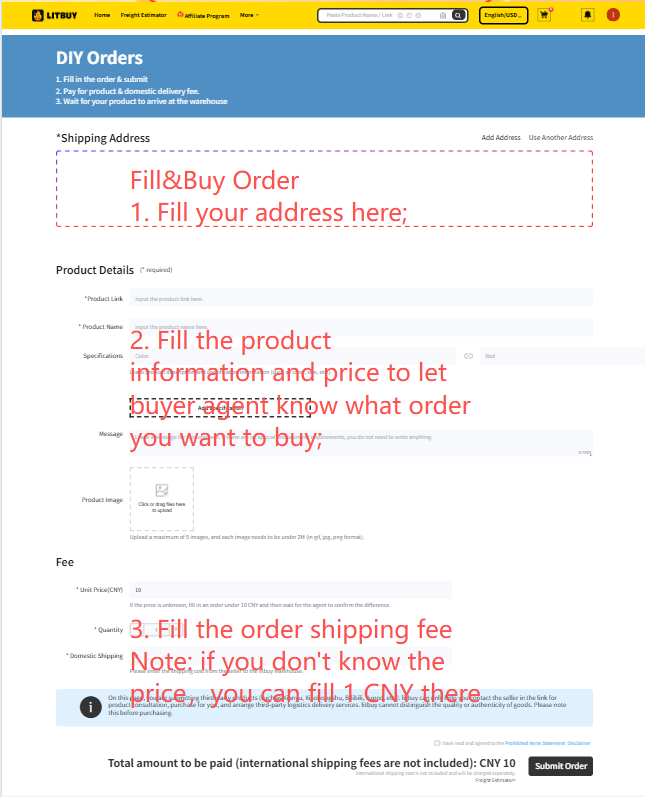
3. Choose, confirm and pay
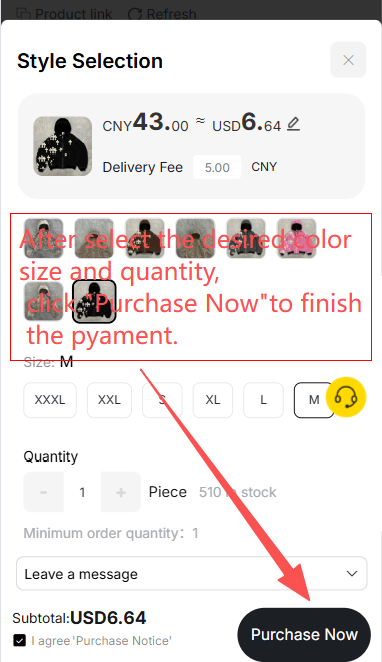
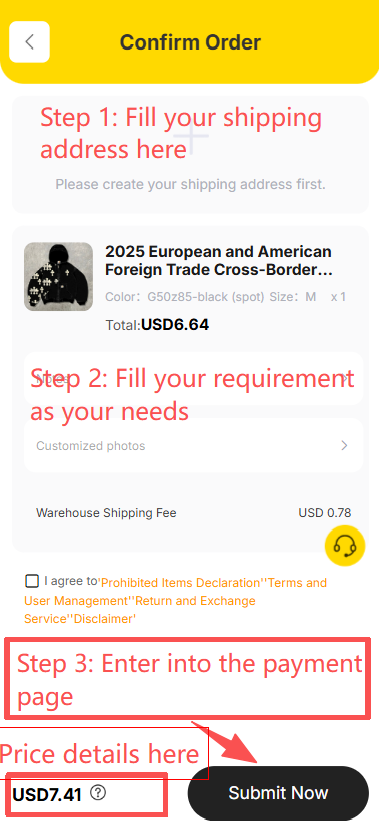
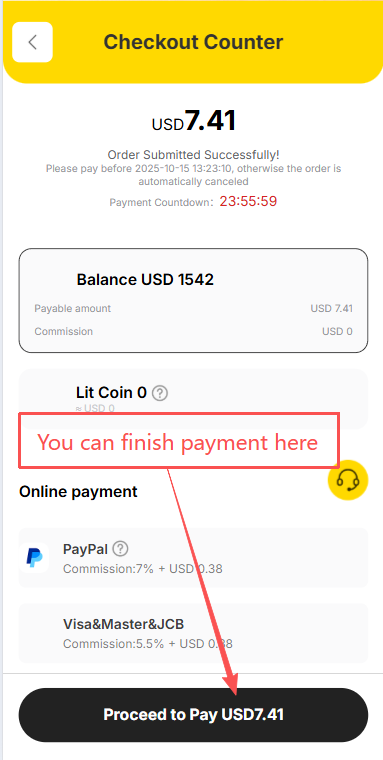
Select the correct variant and quantity, enter instructions, review the destination and pay for the goods and domestic shipping. The screenshot sequence shows variant selection, confirmation and checkout; these screens are offset from some headings in the official article.
4. Follow the seller order
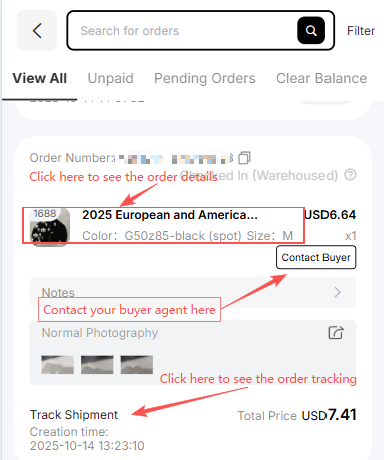
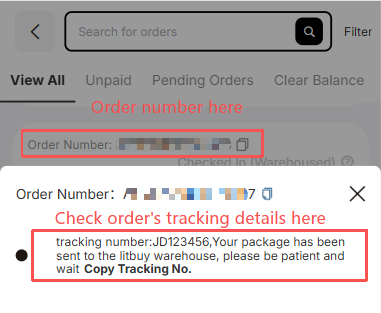
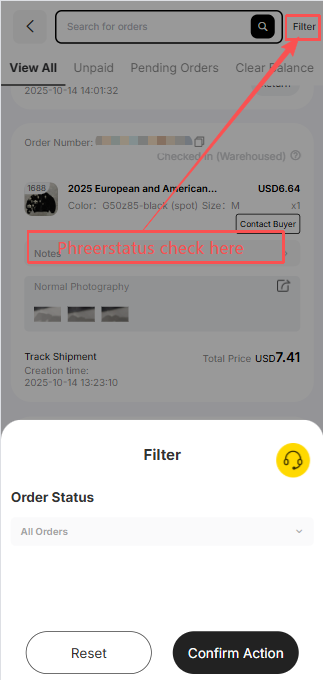
Use Orders to contact the buyer, inspect tracking and filter status. Seller shipment goes to the Chinese warehouse first. Arrival at the delivery point is not yet completed inspection or storage.
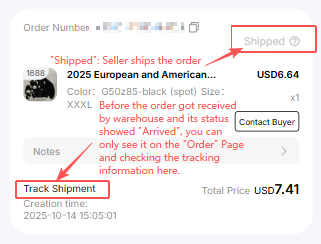
5. Inspect stored goods
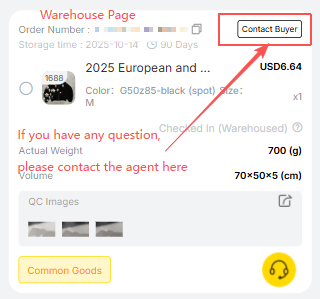
The Warehouse screen shows measurements, QC photos and the buyer contact. Check the actual variant and visible condition promptly, while a seller-agreed return may still be possible.
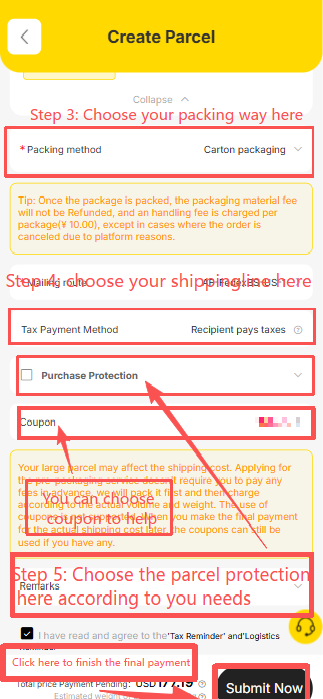
6. Create and pay for a parcel
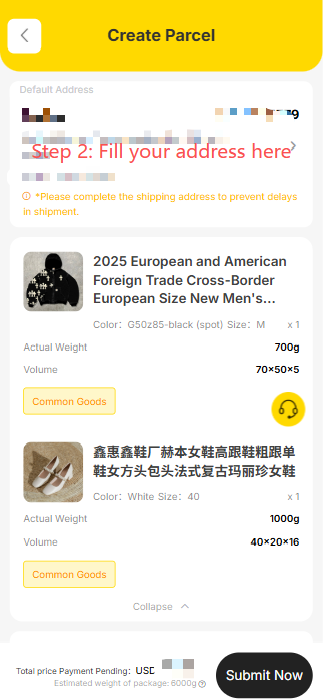
Select stored goods, enter the recipient, choose packing and an eligible route, then check any coupon conditions and pay the shipping estimate. Confirm restrictions for the complete parcel.
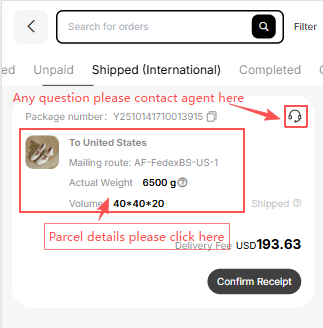
7. Follow international shipping
The Parcel page records the dispatched parcel and support contact. Final packed weight and dimensions may change the shipping settlement; pictured prices and routes are examples.
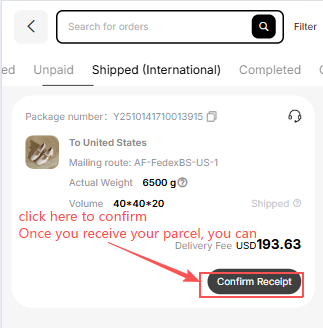
8. Confirm actual receipt
Inspect the parcel and keep evidence before confirming actual delivery. Report a problem through the relevant carrier and LitBuy procedure promptly.
Official How to Use LitBuy article. Its nine status milestones are Order Submitted → Order Placed → Seller Shipped → Arrived at Warehouse → Inspection & Storage → Shipping Requested → Parcel Packed → Shipped → Delivered & Confirmed. Processing times in its summary and detailed text differ; follow the status of your own order.